UnumVault: a calmer home for passwords
A native Mac and iPhone vault, guided imports, and a one-time purchase model. A look at the product while it takes shape.
- Made for
- Mac & iPhone
- Purchase model
- One-time purchase planned
- Current status
- In App Store review
A password manager is something you return to in the middle of doing something else. It should help you sign in, find a detail or update a credential, then let you get on with your day.
UnumVault is my take on that everyday tool: native Mac and iPhone apps, a focused vault and a planned one-time purchase instead of a recurring UnumVault subscription. It is still taking shape, so this is a preview, not a launch announcement.
The first five minutes matter
Moving password managers is rarely just a fresh start. There are existing logins, notes and habits to bring along. UnumVault's guided import is designed around a local preview, duplicate choices and a report of what happened.
The development app supports import paths for 1Password, Bitwarden and Apple Passwords. Real-export coverage remains part of release validation. The important idea is to make the move understandable before asking someone to rely on the result.
Useful details, close at hand
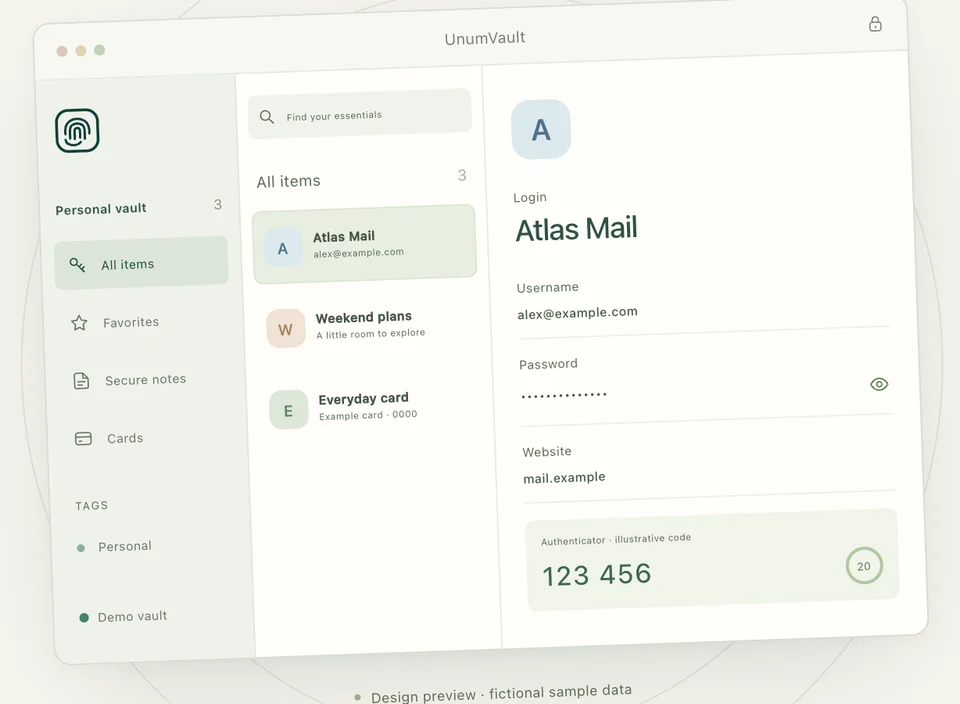
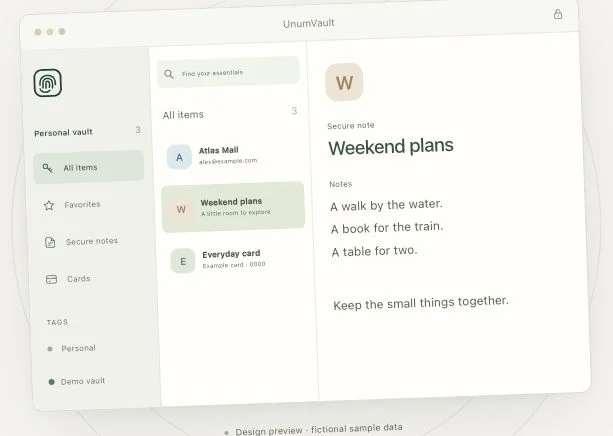
The vault brings together logins, notes, cards, identities and attachments. Password generation includes character choices and word-based passphrases. Previous passwords remain in encrypted history, and time-based authenticator codes sit beside the login they belong to.
Choice without another account
Touch ID or Face ID is optional on supported devices, with the master passphrase still available. The local vault is intended to remain useful offline, while optional private iCloud sync connects your Apple devices without a separate UnumVault account.
Be precise about what is ready
As of 17 November 2026, the native builds have been submitted for App Store review and are not publicly available. Physical-device checks, real-export migration coverage, purchase validation and an independent specialist security review remain documented release work.
Those distinctions matter for a product that holds important information. The website explains the current security and recovery model, what has been tested and what is still in progress. That is the best place to follow release readiness.